

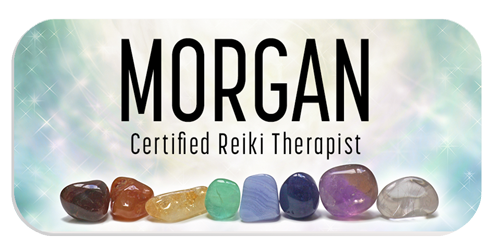


Unisub 5516 1.25" × 3" FRP Name Badge — Matte White
Share :
1.25 × 3 in rectangle FRP name badge with a matte white sublimation finish. Personalize the single printable face with staff names, job titles and company branding. Fasteners are sold separately.
Key Features
- 1.25 × 3 in rectangle badge
- FRP construction; 0.09 in thick
- Matte White printable finish
- One-sided sublimation blank
- Select a separate pin or magnetic backing
Applications
Create staff identification for retail, hospitality, offices and events. Combine a name, role and logo to produce consistent team identification.
Technical Specifications
| Brand | Unisub |
| Manufacturer item | 5516 |
| SKU | US 5516 |
| Dimensions | 1.25 × 3 in |
| Shape | Rectangle |
| Material | Fiberglass-reinforced plastic (FRP) |
| Finish | Matte White |
| Thickness | 0.09 in |
| Printable sides | One |
| Manufacturer case quantity | 200 |
| Fasteners | Pins and magnetic backings sold separately |
What’s Included
Blank name badge. Pins and magnetic backings are sold separately. Decorated images show personalization examples. Manufacturer case quantity is 200; order according to the selling unit on this listing.
How to Personalize
Temperature: 385°F / 195°C
Time: 55–65 seconds
Pressure: Not specified in the manufacturer guide.
- Remove any protective film and clean the printable surface.
- Align the printable face with the printed transfer and secure using heat-resistant tape.
- Place protective paper below the badge and above the transfer. Press with the transfer on top.
- Remove with heat-resistant gloves and let the badge cool.
How-To Video
How to Sublimate a Name Badge — official Unisub tutorial.
Download Template
Download US 5516 Template Here
Care and Support
Contact Value-Rite with the manufacturer item number for badge, fastener or sublimation support. Use the official guide below for preparation and pressing.
Downloads
Official Unisub name badge pressing instructions
Unisub product catalogue — Name Badges
Specifications: official Unisub catalogue, Name Badges section, item 5516. Pressing settings follow the manufacturer’s FRP name badge instructions.